

| Zajmujemy się branżą stolarki budowlanej już od 19 lat, zbierając doświadczenia w zakresie montażu, serwisu i produkcji. Mając bogate doświadczenie nie tylko w samym wykonawstwie usług związanych z wymianą, montażem, serwisem całego asortymentu elementów zaliczanych do stolarki budowlanej, ale i również z technologią produkcji zarówno PCV, drewna jak i aluminium.
Daje nam to doświadczenie niemal 100% skuteczność w serwisowaniu i diagnozowaniu przyczyn nieprawidłowości działania okien, drzwi, rolet, bram garażowych, żaluzji, itp. Nawet brak części zamiennych, z wycofanych z produkcji systemów okuciowych, nie jest przeszkodą w realizacji napraw. The Style Settings panel in the Gantry based theme administration interface provides several options for configuring the main built in stylistic aspects of the template. 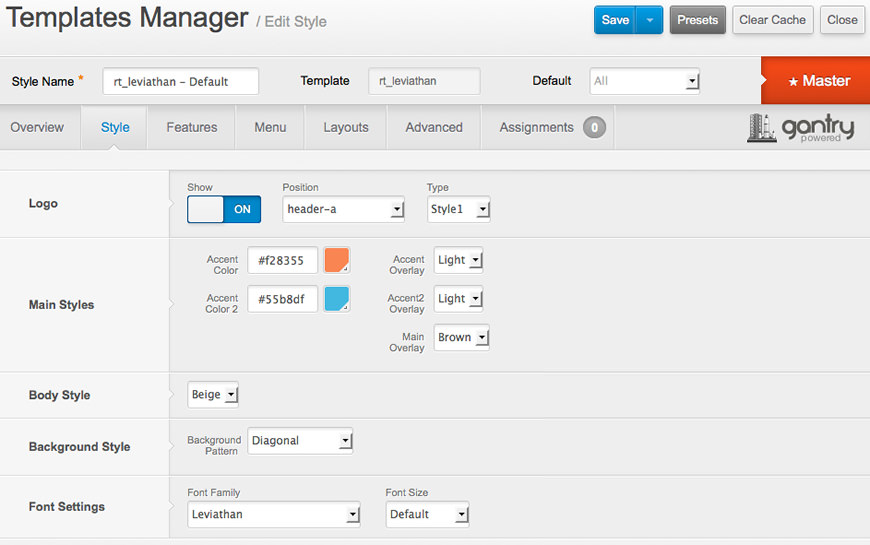
Gantry also provides the ability for you to create your own custom presets based on any parameter in the theme administrator. You should determine which parameters you wish to configure to be a part of the presets. Assigning a StyleWith Gantry, the ability to assign a certain style to an individual page has never been easier and/or more efficient. Just follow these simple steps:
After setting your defaults to the desired values, select the Menu Items button and choose the menu item you wish to modify the parameters for. You will then see a series of checkboxes on the left of all the supported parameters. Select the checkbox next to the parameter you wish to modify, it will then become active, and you can modify as you wish. Clicking “Save” in the toolbar will then save this configuration. Gantry Framework: Style ConfigurationThe following is a guide that covers how to set up your new Leviathan template on your Joomla! site. Here you can find an overview of the files included in the Leviathan release and instructions on installing and activating the template in your Joomla! install. Note: The Bundle Template is only necessary if the Gantry Library is not installed at /libraries/gantry directory. Step 1 - Installation
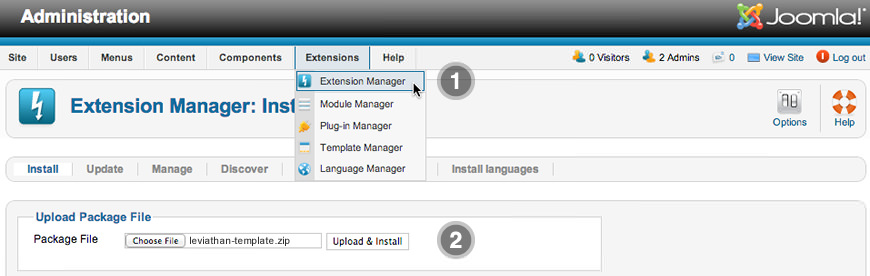
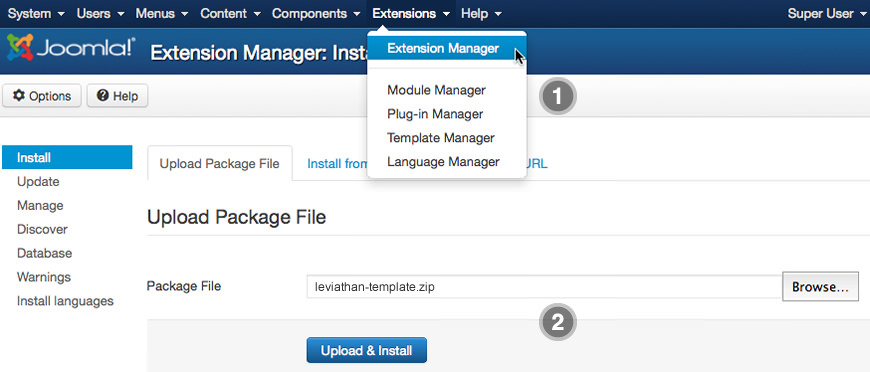
Step 2 - Template Default
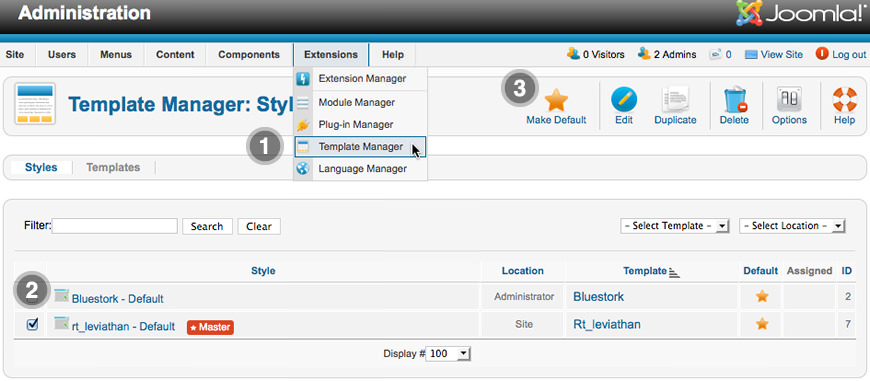
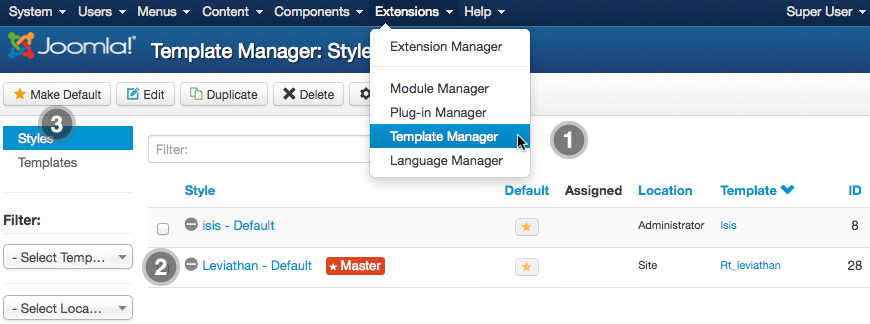
RocketLauncher InstructionsWe always recommend installing a RocketLauncher first to trial and understand the template more effectively. It must be installed as new, and not over an existing Joomla install. Step 1 - Upload
Note: You can upload all the files via FTP, or use cPanel or SSH to upload the zip and unzip directly onto the server. Enquire with your hosting provider. Step 2 - Installation
Leviathan for Joomla is a RocketTheme Joomla Template Club release featuring the revolutionary Gantry Joomla Template Framework. Gantry is a comprehensive set of building blocks to enable the rapid development and realization of a design into a flexible and powerful web platform theme. To configure the template, navigate to Extensions → Template Manager → rt_leviathan. Mouseover the labels to view a description of each parameter.
Integrated Extensions
Enhance Your Website with the Powerful Tools |